Location menus
Show the menu for the location a guest chooses, with item details and availability.
Restaurant commerce for developers
APIs and SDKs for location-specific menus, modifiers, pickup scheduling, carts, and checkout. Bring your own frontend, or start with our web and mobile templates.
For agencies and engineering teams building for restaurant brands.
The menu depends on the location. Each item has choices. Pickup depends on when the restaurant can take an order. Build on APIs that make those details part of the ordering flow.
Show the menu for the location a guest chooses, with item details and availability.
Let guests customize items and manage an order before checkout.
Use location time slots and ordering readiness to offer pickup times.
Connect your cart to the restaurant’s configured checkout and payment path.
Give signed-in guests access to their order history and order details.
Connect approved POS and payment providers where the restaurant needs them. Availability depends on the provider and location.
Build the experience your client or brand needs. Connect your website and mobile app to the same restaurant commerce APIs, so each new interface starts with menus, carts, and checkout already defined.
Choose your production path. Use Crave’s native commerce path, powered by Stripe, or connect through a supported provider when orders and payments need to stay on the restaurant’s existing system.
Provider support depends on location, capabilities, and merchant approval. Check the fit before committing to a build.
Find your integration pathStart with a Next.js or Expo template. Make the design, menu, and ordering experience your own. Explore and clone the code without an account.
Examples use sample data. Connect your restaurant before taking real orders.
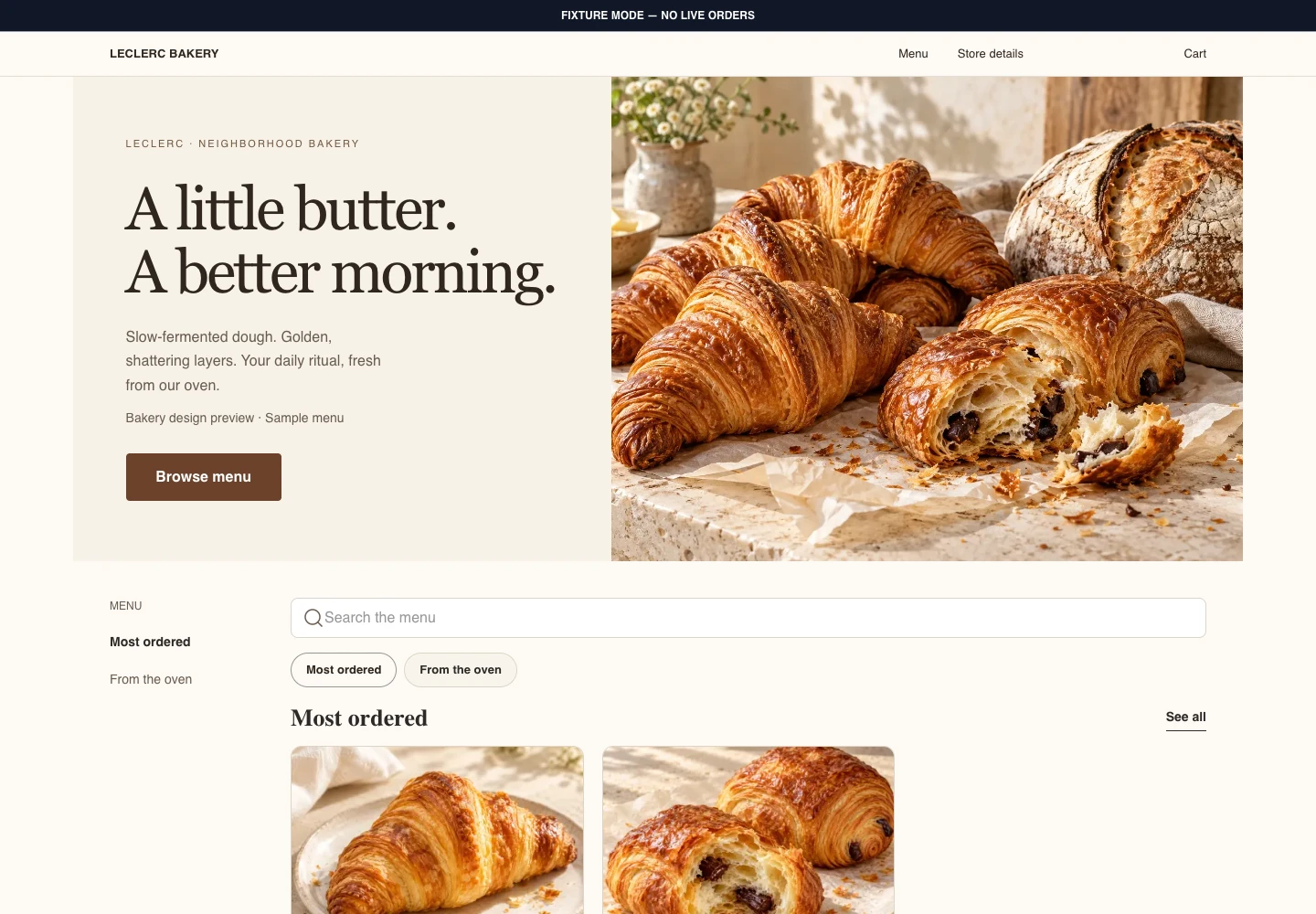
Meet Leclerc Bakery: warm editorial design, fresh pastry photography, and a storefront that adapts from desktop to mobile web. Built on the shared Crave.js commerce core.
Next.js design preview · Try sample ordering in the template.
Explore Next.js templateNext.js ordering website
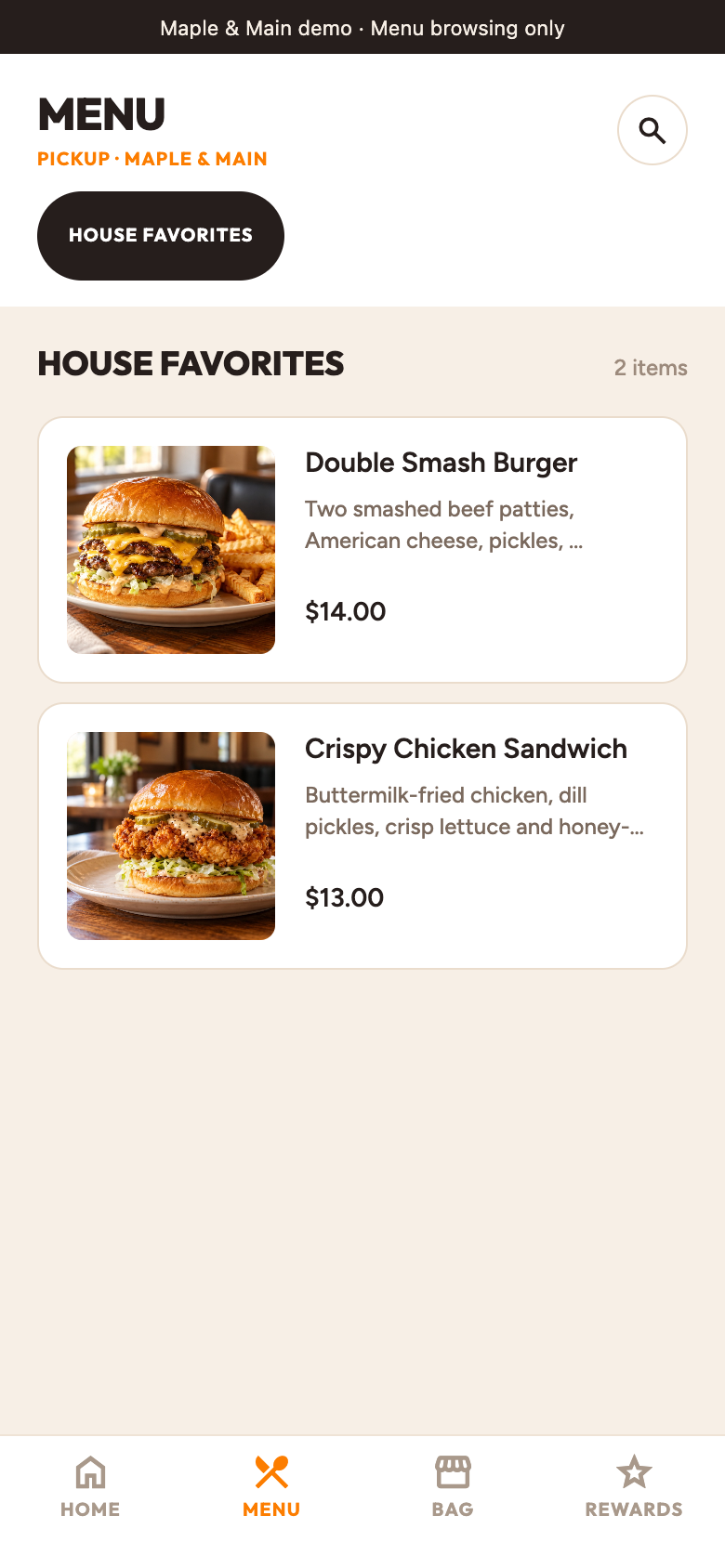
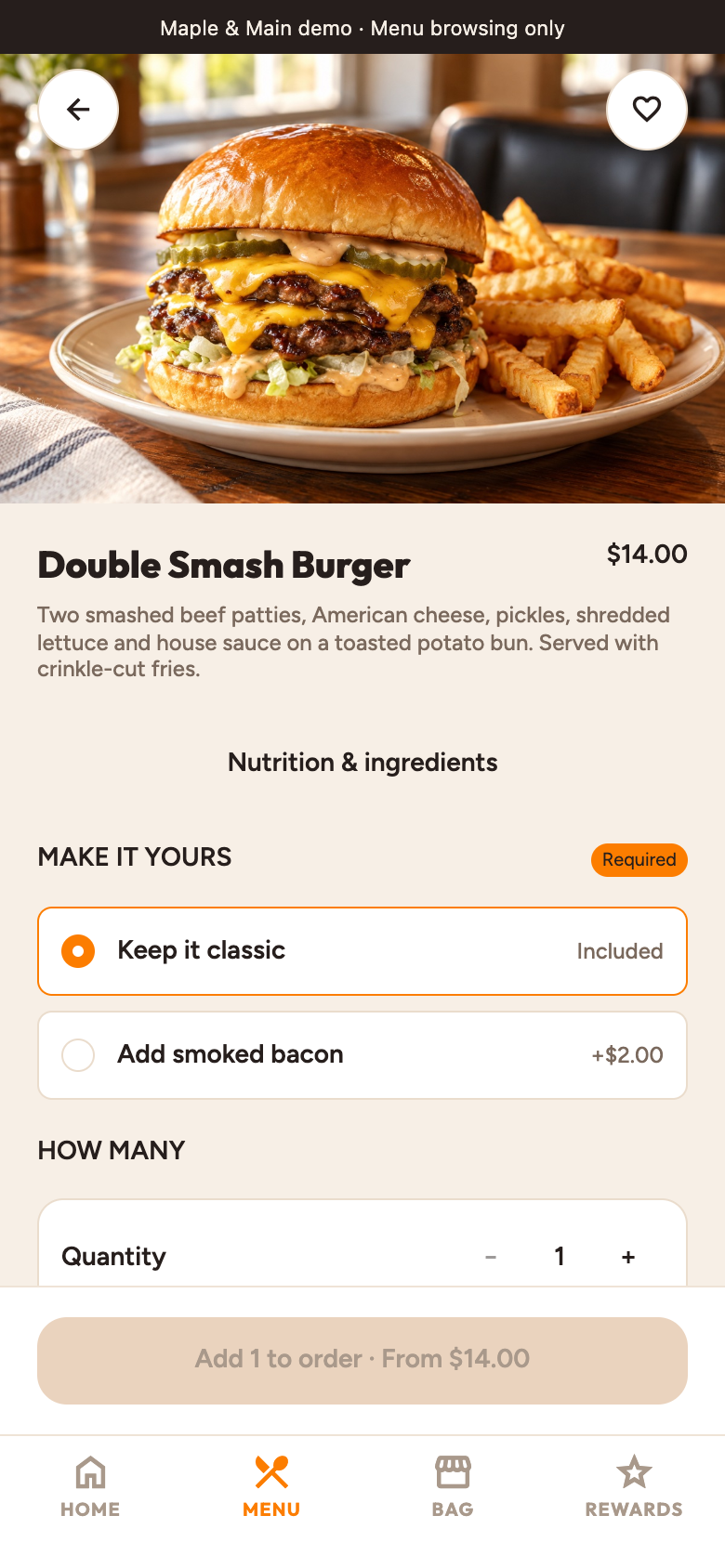
Meet Maple & Main: an American neighborhood grill, running on the Expo storefront. Browse smash burgers and crispy chicken, explore the menu, and make an order your own.
Expo app preview · Explore the read-only restaurant demo.
Explore Expo templateMobile ordering
Leclerc Bakery is a real public template preview. Customize the design and connect your restaurant before taking real orders.
Browse Maple & Main’s menu and item customization screens, captured from the running Expo demo with sample data.
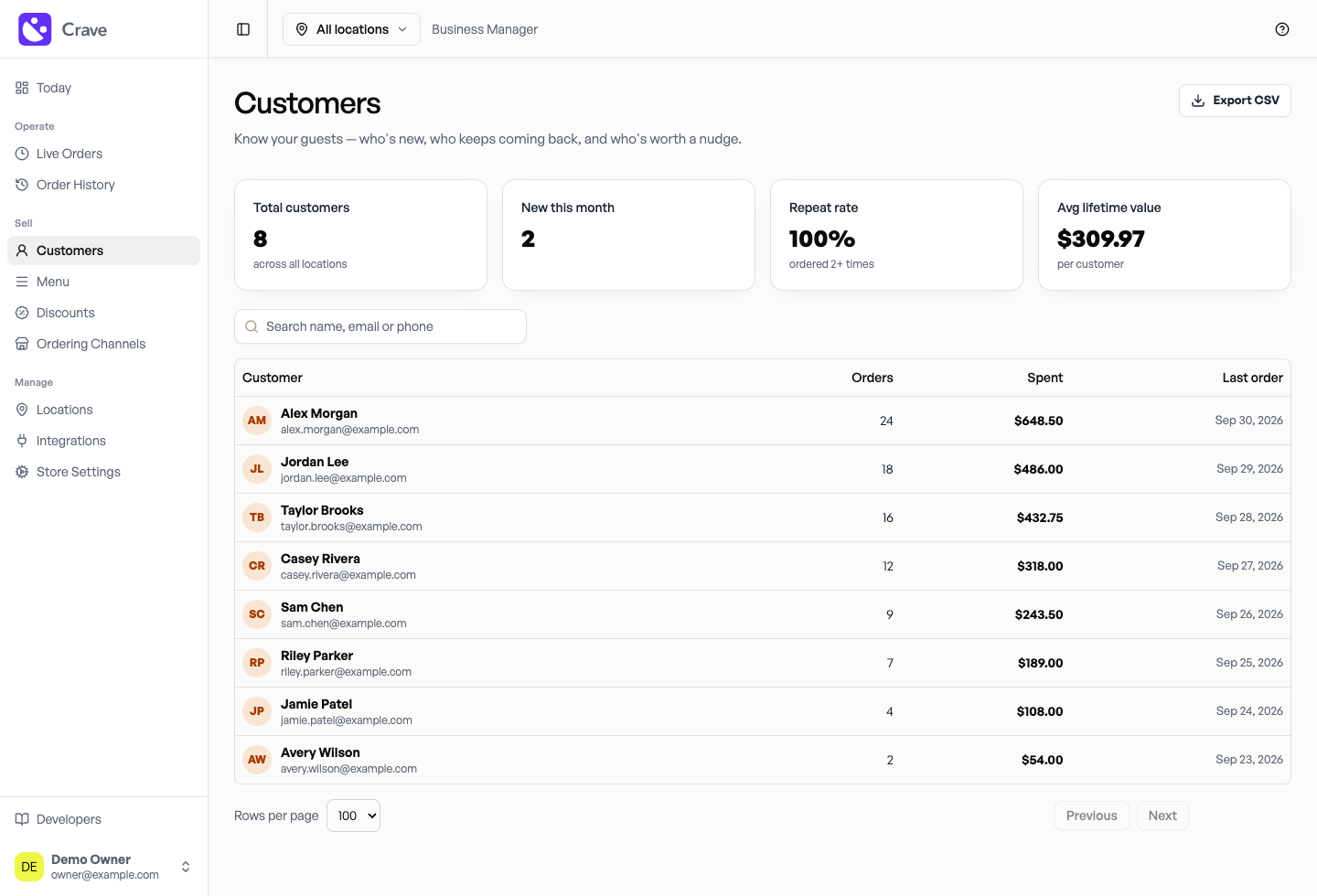
Business Manager · Customers · Sample data
Clone the public Next.js template before creating an account. Use your coding tools and AI assistant to change the design, then connect your frontend to Crave Cloud’s commerce APIs.
You own and deploy the frontend. Crave Cloud runs the commerce APIs. Full-stack self-hosting is planned through Restaurant OS early access.
Use the SDK for your frontend, the Console for your sandbox, and the docs for the details. Live restaurant access requires the restaurant’s approval.
Code you own. Commerce you connect.
Start with public Next.js and Expo storefront code. Customize and self-host your storefront, and use Crave’s SDKs to connect it to commerce APIs. The managed commerce backend and production integrations are separate services.
Local development, fixture data, and isolated sandbox testing are free.
Payment begins when Crave participates in live transactions or operates a production integration. Stripe-native commerce uses transaction pricing; connected integrations are priced by live location.
Confirm pricing, provider fees, and regional availability before production activation.
Review production pricing Explore integration pathsStart with the SDK quickstart or clone a template. Test your flow in an isolated sandbox, then confirm the restaurant’s production setup.
Start buildingLooking for the operator workspace? Explore Restaurant OS early access.